Things I learnt at H@cktivityCon 2021
— H@cktivityCon, Learning, Knowledge, CTF — 3 min read

attempt ALL the challenges, read ALL the writeups
-
even if the challenge label says "hard", try it out - after the CTF ends and you're reading writeups, it'll be a huge help - it's so much easier if you already have browsed the challenge. and yes ofcourse, you absolutely should read all write ups.
-
it's just a label - and they don't always apply to your level of expertise - OPA Secrets, "hard" challenge - a writeup mentioned it as code audit challenge - before reading any further, i started the challenge, browsed around to find the source on GitHub, to find the flag's
idhard-coded, i then modified the/getValuePOST request with thatid, and got the flag - later in the writeup, it says access control was not implemented - which was the actual vulnerability, but all i needed was to send a request withidin the body to get the flag, and theidwas in the source; point being, it's hard only if you don't know how to read code. -
in a broader sense, while attacking apps in the real world - you have to try anything & everything that comes to mind, never assume it won't yield results bcoz it's too easy OR simple - always assume you're the first person looking at it - it's the real world, it's common for anything to get overlooked.
-
fastest way to get an idea on new domains - recently i read a bunch of writeups on some cloud challenges, and it certainly helped with the tools (what?)and methods(how?) for a super fast practical start.
brute-force all the things
admin:admin - that's the solution to another "easy" web challenge, swagger - why do i keep brute-force as the last resort & then completely forget about it.
extract text from image, fast!!!
i'm looking at you, "easy" warmup challenge pimple - used Google Lens on phone to scan the image > copy flag text > send to laptop via Pushbullet OR just use an online OCR website like a normal human being, how come i did not think of that during the the CTF?
browsing the dark web
Mike Shallot, OSINT - first challenge i encountered which required me to explore the dark corners of the internet - and now it's so much easier to connect to Tor network with the Brave Browser's Private with Tor feature - i did try installing Tor at first, but there were some errors - plus i had Brave already installed so i thought i'll try the feature this time - surprisingly, this browser doesn't even need admin rights for installation(i should research on the how) - it blocks ads & trackers by default, and you get Basic Attention Tokens just for using the browser - which you can send directly to favorite creators on the internet - try sending me some right here from this website - crypto supercharges the great online game - i realize i sound sponsored right now, i'm not.
\n is the not newline character
integrity, "medium" web, had filters for few characters, i tried a few including '\n', and got the error: '' is not allowed
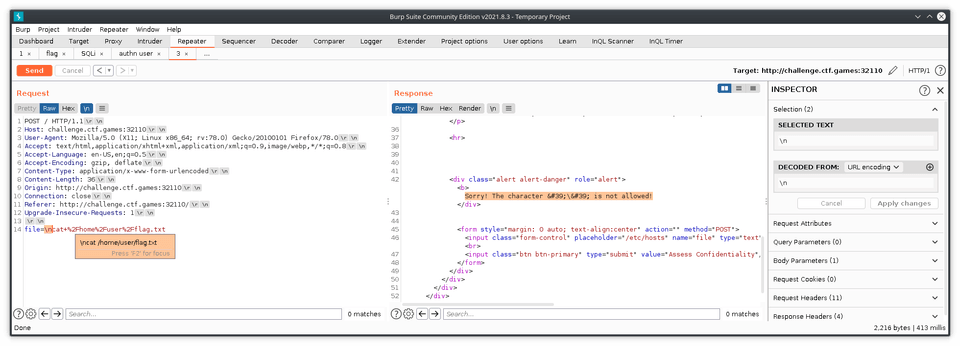
later a writeup did the exact same thing and i couldn't understand the difference - until i played around in burpsuite and copy-pasted the newline character i got from the non-printable chars
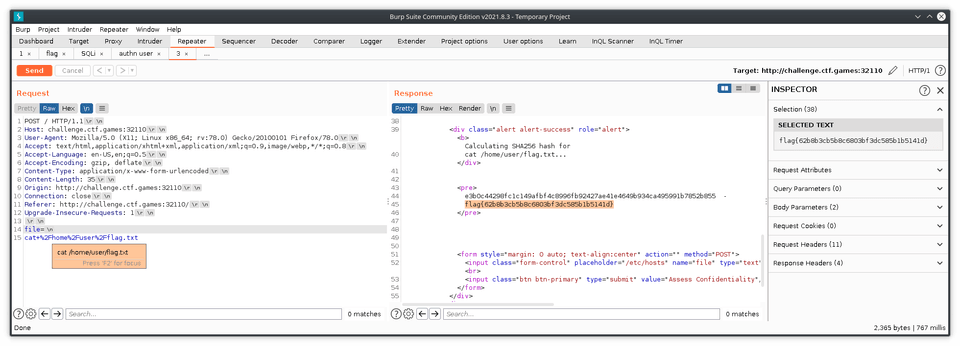
NewLine (\n) is 10 (0xA) and CarriageReturn (\r) is 13 (0xD) - in other words, \n is the printable version(?) somebody correct me on this, please!
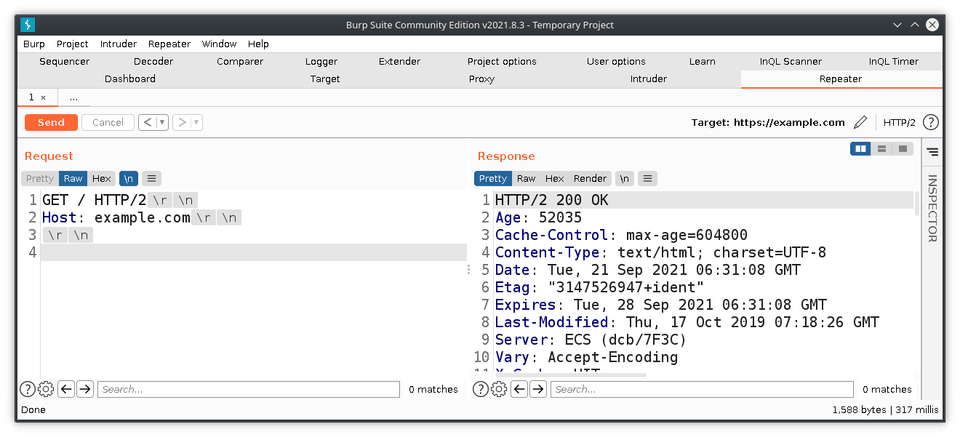
to read more on this, here's an old non-HTTPS blog from 2009 and a modern day Q&A website.
SSTV - Slow Scan Television
https://www.sigidwiki.com/wiki/Slow-Scan_Television_(SSTV)